
Screenshots
About Black and Teal Icon Pack v3.1
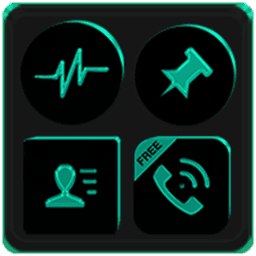
Black and Teal Icon Pack v3.1 brings 5,500+ high-definition icons to your Android device, transforming your home screen with a cohesive black and teal aesthetic. With 56 custom folder icons, 157 app drawer designs, and 478 live and static wallpapers, you get a complete visual ecosystem ready to apply in moments.
Icon masking technology ensures seamless integration across your launcher, while quick-apply functionality gets your new look running in seconds. The pack supports 42 major launchers including Nova, Pixel, Lawnchair, One UI, Poco, Hyperion, and many others—check compatibility with your specific launcher in the full feature list. An in-app tutorial walks you through setup, and the built-in search function helps you find exactly the icon you need from the massive library. Bookmark your favourite icons for instant access later.
Customization runs deep. Choose between light and dark themes to match your system settings, and request custom icons through both regular and premium channels if you don't find what you need. The pack includes 448 dynamic calendars that update in real-time, an analog clock widget for your home screen, and a searchable wallpaper gallery so you can find the perfect background to pair with your icons.
Language support spans 19 locales, making the interface accessible no matter your region. Get notified of updates and new content automatically through in-app messaging, and rely on comprehensive FAQs to answer questions without leaving the app. The icon previews and search tools make browsing the full collection intuitive and quick.
Stock phone launchers don't support custom icon packs natively—if you're using your device's default launcher, explore alternative icon theming apps to apply individual icon changes. For all other users, Black and Teal Icon Pack v3.1 delivers instant, cohesive customization. Dive into the developer's broader portfolio by searching "Ronald Dwk" to discover over 300 additional icon packs in different colours, shapes, and styles—both free and premium options available.
Pros & Cons
Pros
- 5,500+ icons with 56 custom folders and 478 wallpapers included
- Compatible with 42 major launchers including Nova, Pixel, and One UI
- Real-time updating dynamic calendars and searchable wallpaper gallery
- Built-in tutorial and search function make setup and browsing straightforward
Cons
- Requires a third-party launcher—stock Android launcher cannot apply custom icons
- Icon requests and custom design options suggest some popular icons may be missing
- Premium custom icon request channel implies paywalled personalization features
- Automatic update notifications and in-app messaging mean regular engagement prompts
Related Apps

AlienGUIse
Desktop themes and manager for Windows — transform your system with 5 futuristic designs.

SharpKeys
Remap keyboard keys to launch apps, media controls, and custom commands on Windows.

RocketDock
Desktop launcher for Windows — quick access dock with customizable icons and positioning.

Custom Resolution Utility (CRU)
Display resolution utility: Create custom resolutions for your monitor with precise refresh rate control.

Lagguy Wallpapers
Lagguy
4K & HD wallpapers for Android — minimal, abstract, nature, AMOLED designs with lifetime access

Lock Screen OS
Apps Genz
Customize your lock screen with widgets, photos, and notifications. Replace Android's default lock screen.
Latest Articles

Play a free Color Ball Sort Puzzle-style game in your browser (no download)
Oct 6, 2026

Play a free Beach Buggy Racing-style kart racer in your browser (no download)
Oct 6, 2026

Play a free Alto's Adventure-style game in your browser (no download)
Oct 6, 2026

Free online whiteboard like Jamboard: use Quickboard in your browser, no signup
Oct 6, 2026

Free online running pace calculator: splits, race predictor and daily challenge, no download
Oct 6, 2026